Getting Started in Octopus Sandbox
Your first hour as a giant octopus—launch checklist, goals, and next pages.
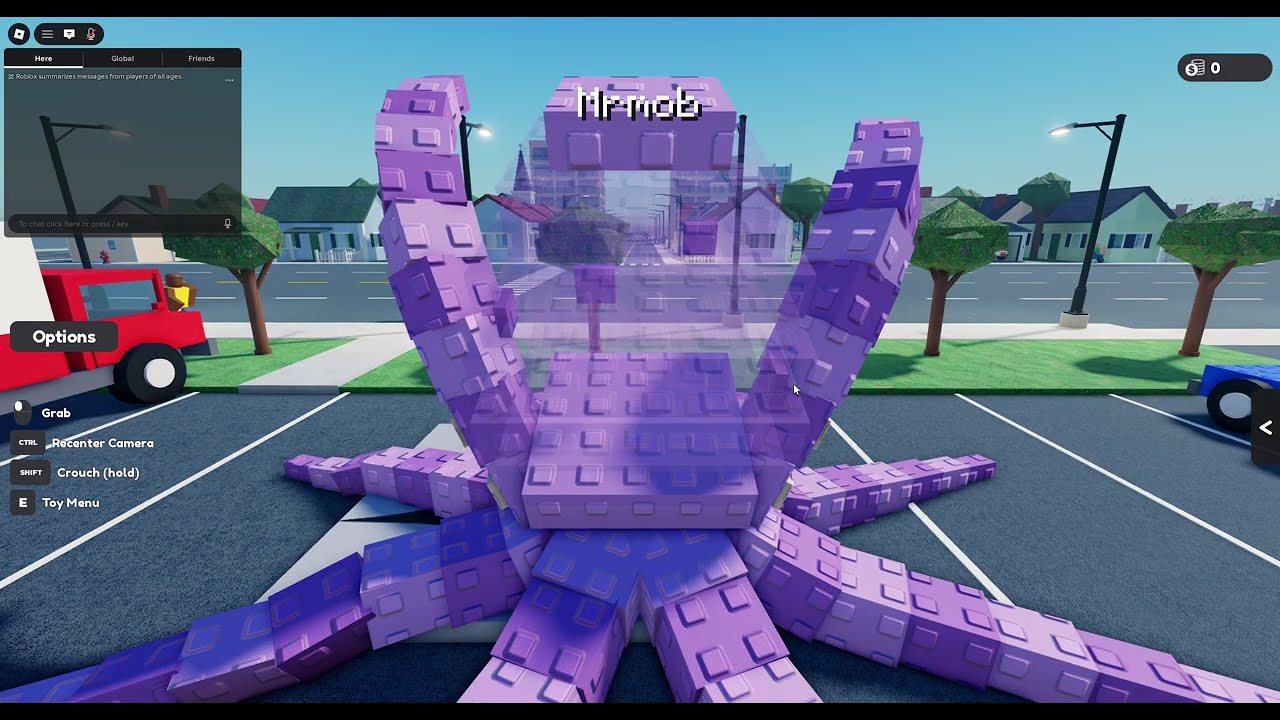
Welcome to Octopus Sandbox, the Roblox experience from Duck Fighter Studios where you play as an octopus and terrorize the world. This beginner guide gets you from cold install to a confident first demolition without spoiling the joy of physics surprises. The game released on 2026-10-21, still wears occasional [FIX] branding during repair waves, and is built as a solo sandbox (max players 1)—so your city is yours alone.
Before you chase mythical Codes or risky Scripts, learn the intended loop. Everything below assumes you are on the real place ID 132284714105008 (universe 10772288055).
Launch checklist
- Open Roblox and search for Octopus Sandbox, or use the official experience link from this wiki’s play button.
- Confirm the creator group reads Duck Fighter Studios—avoid copycat places with similar names.
- Hit Play and wait for the solo instance to load. You will not be matchmade with strangers.
- Give the client a minute after big FIX patches; fresh joins beat stale teleports.
- Keep this guide open on a second monitor or phone if it is your first session.
If the Roblox title shows [FIX] Octopus Sandbox, that is a stability wave, not a different game. Skim the Updates Hub later so you know what changed.
What kind of game is this?
Genre label: simulation / sandbox. Fantasy pitch: become a giant octopus, smash buildings and cities, cause physics chaos, and explore sandbox freedom. There is no traditional raid ladder or seasonal ranked ladder documented here. Your progress is skill—camera comfort, tentacle timing, and choosing smarter targets.
Community pulse around November 2026 sat near hundreds of concurrent players at peaks, hundreds of thousands of visits, and a solid like ratio for a young title. Expect rough edges; FIX patches exist because rubble is complicated.
First-session goals (30�?5 minutes)
Goal A �?Survive the camera. Learn how to re-center when debris fills the screen. Deep dive afterward on Controls.
Goal B �?Flatten one city block on purpose. Not random flailing—pick a cluster of buildings and finish them. The Destroy the City guide expands this into full routes.
Goal C �?Notice performance. When frames dip, back off and clear vision. Tips and Tricks covers longer-session habits.
Goal D �?Pick a playstyle lane. After one successful block, skim the Tier List and decide whether you want Controlled Demolition or something louder next time.
Soft tutorial: how a smash “works”
Even without a lengthy on-rails tutorial, the sandbox teaches through feedback:
- Soft props and smaller structures move first—use them as warm-ups.
- Corners and lower supports often fold towers more dramatically than tapping rooftops forever.
- Chaining hits while the structure is already stressed creates better collapses than single pokes.
- Walking away for a second lets physics settle so you can aim the next strike.
You are not failing if a building wobbles instead of exploding. Wobble is information. Adjust angle and try again.
Mid-guide inspiration
Community creators already filmed what “giant octopi destroyed the city�?looks like in this experience. Use the embedded video on this page as a north star for pacing and scale—then recreate the energy in your own solo server with cleaner camera work once controls click.
Common beginner mistakes
| Mistake | Fix |
|---|---|
| Blaming the game before learning inputs | Spend a dedicated session on Controls |
| Chasing fake codes on day one | Read the honest Codes Hub—none confirmed yet |
| Installing random executors immediately | See Scripts safety notes; skill first |
| Trying to invite friends into your server | Solo only—share clips instead (Players) |
| Ignoring FIX relaunch advice | Fresh join after patches (November 2026 FIX) |
Gear, grind, and expectations
Do not expect a Destiny-style power climb from this wiki’s current understanding. The fantasy is immediate: you are already the monster. Optional future codes may add cosmetics or boosts, but they are not required to enjoy terrorizing the map. If a UI button appears for rewards later, we will document it under codes—not here.
After the first hour
- Re-clear the same block faster and cleaner.
- Film a short clip; critique your own aim.
- Read Destroy the City for target priority.
- Browse Tips and Tricks before a long evening session.
- Check Updates weekly while the game is still in heavy FIX cadence.
Creator trust basics
Announcements worth believing come from Duck Fighter Studios channels (group shout, experience description). Owner attributions you will see discussed include imocast / SKULL DESTROYER. Fan videos are great for inspiration; they are not patch notes.
Mindset
Octopus Sandbox rewards curiosity and deliberate chaos. Your first hour should end with one intentional skyline wound and a clear idea of which wiki page to open next—not with twenty unused “OP codes�?from a slideshow. Spawn in, learn the limbs, knock something over on purpose, and laugh when physics improvises.
When you are ready for finer motor advice, continue to Controls. When you want maximum terror per minute, continue to Destroy the City. The Guides Hub remains the index if you get lost.
Frequently Asked Questions
Quick answers to the most common questions.
Is Octopus Sandbox free to play on Roblox?
Yes—it is a Roblox experience you launch from the official listing. Use the Duck Fighter Studios place (ID 132284714105008) to avoid knockoffs.
Can I play with friends?
Not in the same server. The experience is solo with max players 1. Challenge friends asynchronously with clips and times.
Are there codes I should redeem first?
No confirmed active codes as of November 2026. See the Codes Hub for status and future redemption steps.
What should I do in my first session?
Learn the camera, flatten one city block on purpose, then read Controls and Destroy the City for deeper technique.
Why does the title sometimes say [FIX]?
The creators push repair patches for the physics sandbox. Relaunch fresh and check the Updates hub for context.